Clarity for your flight time.
Turn a flight logbook into useful answers. HoursLens helps pilots audit their entries, understand experience, build reports and prepare FAA 8710-1 totals—without making your logbook somebody else's database.

Audit. Build. Map. Analyze. Report.
HoursLens turns your exported logbook into a practical workspace for finding problems, understanding your experience and preparing the information pilots actually need.
Powerful Logbook Audit
Examine your logbook entry by entry for deterministic errors and items that deserve pilot review. Filter findings and go directly to the affected flights with Show Flights.
Logbook Builder
Build focused views of your flight history using aircraft, dates, experience, people and other criteria, with totals and the underlying flights kept together.
Interactive Flight Map
See where you've flown, visualize routes and airport activity, and move from the map back to the flights behind it.
FAA 8710-1
Prepare useful Section III experience totals from the underlying logbook instead of rebuilding categories and arithmetic by hand.
Custom Reports & Summaries
Create reusable report layouts and summaries around the flight experience that matters to you, with drill-down to supporting flights.
Aircraft & Experience Analysis
Analyze turbine, complex, high-performance, TAA, pressurized and other experience using aircraft classifications and flexible queries.
Find it. Drill down. Understand it.
HoursLens keeps the answer connected to the flights behind it. Audit your records, analyze your experience, visualize where you've flown and prepare the totals you need.
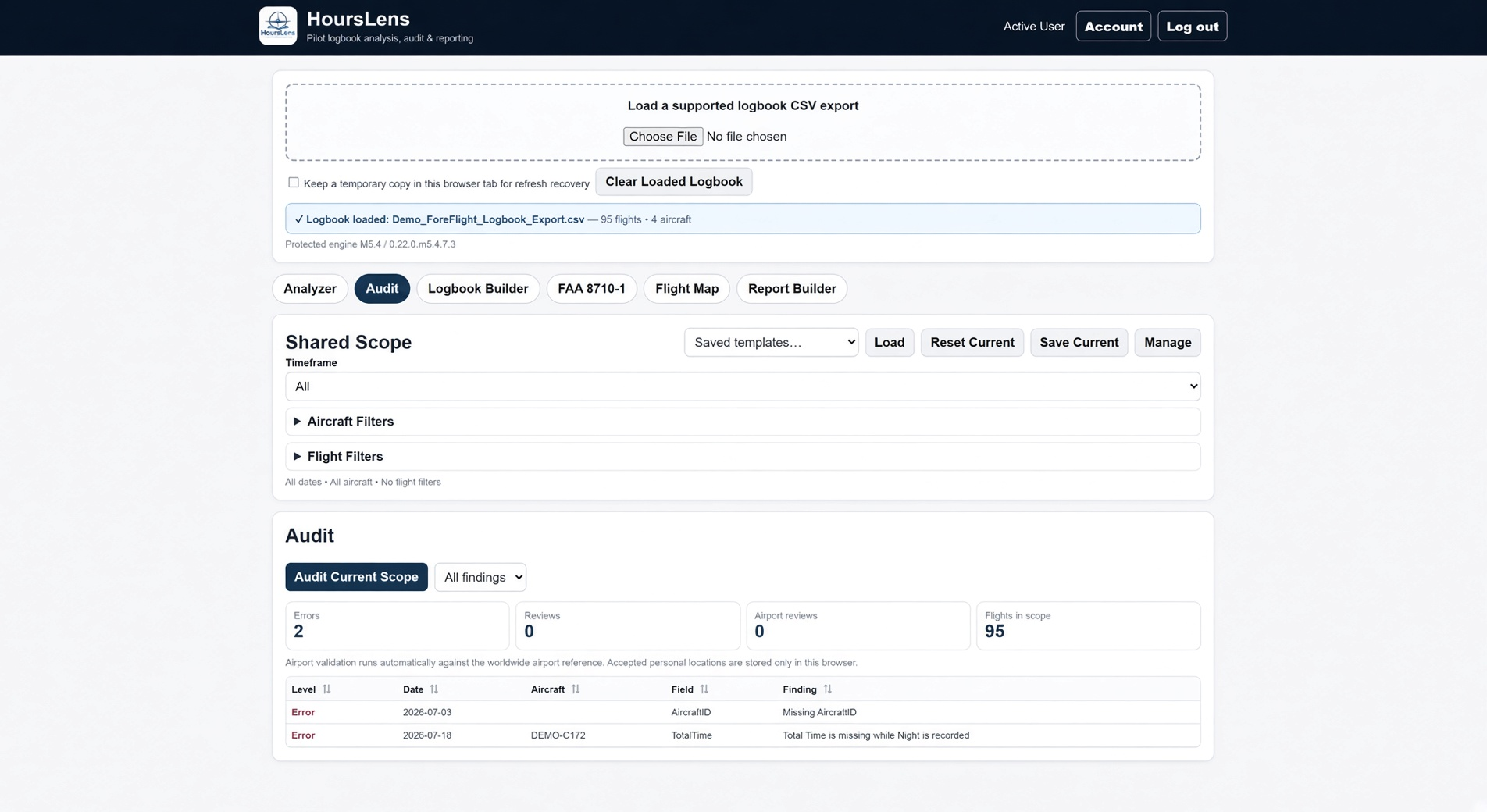
Powerful Logbook Audit
Surface deterministic errors and items that deserve review before they become surprises.
Click screenshot to enlarge →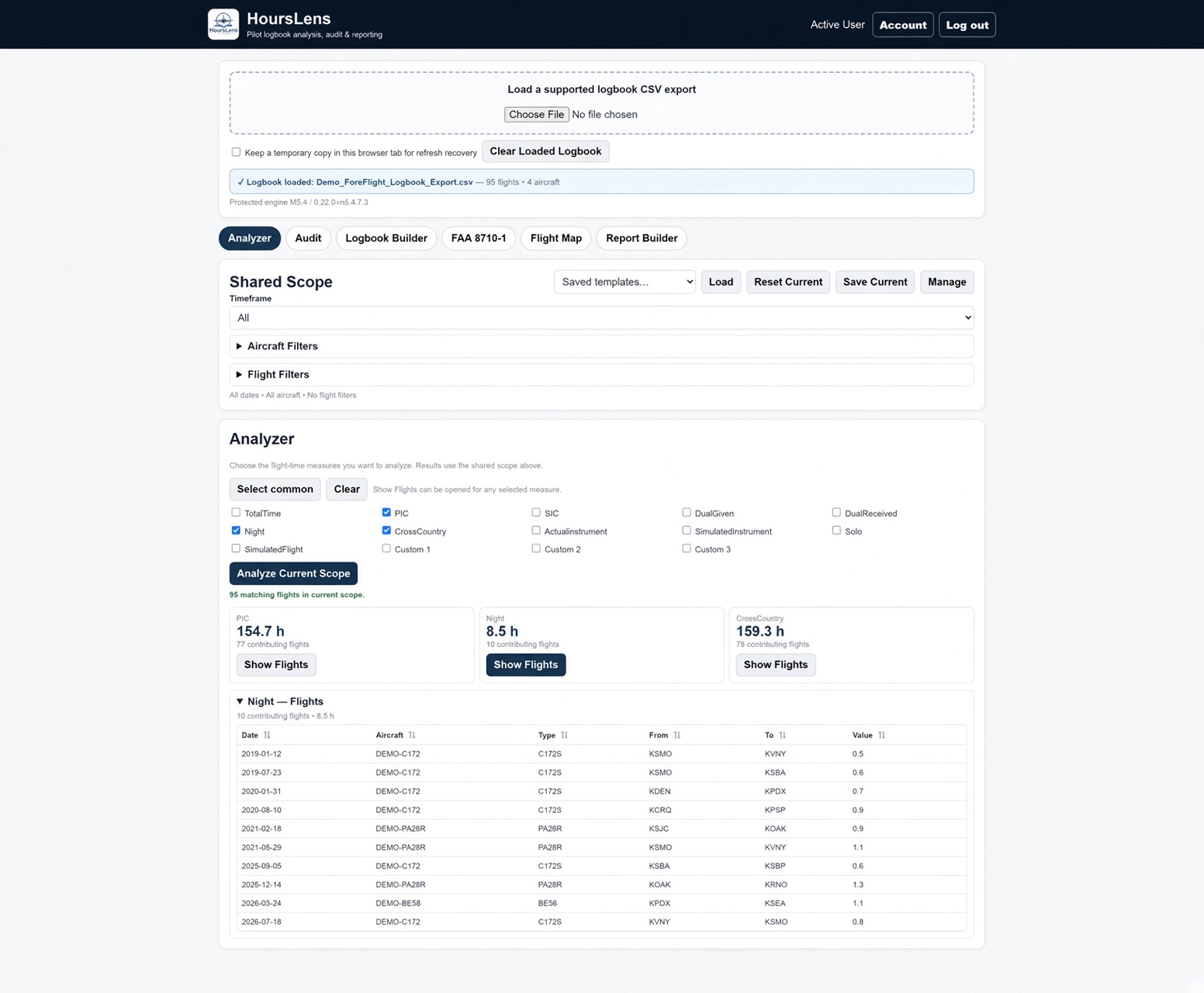
Analyze → Drill Down → Understand
See the total, then open the individual flights behind it. Know where your numbers came from.
Click screenshot to enlarge →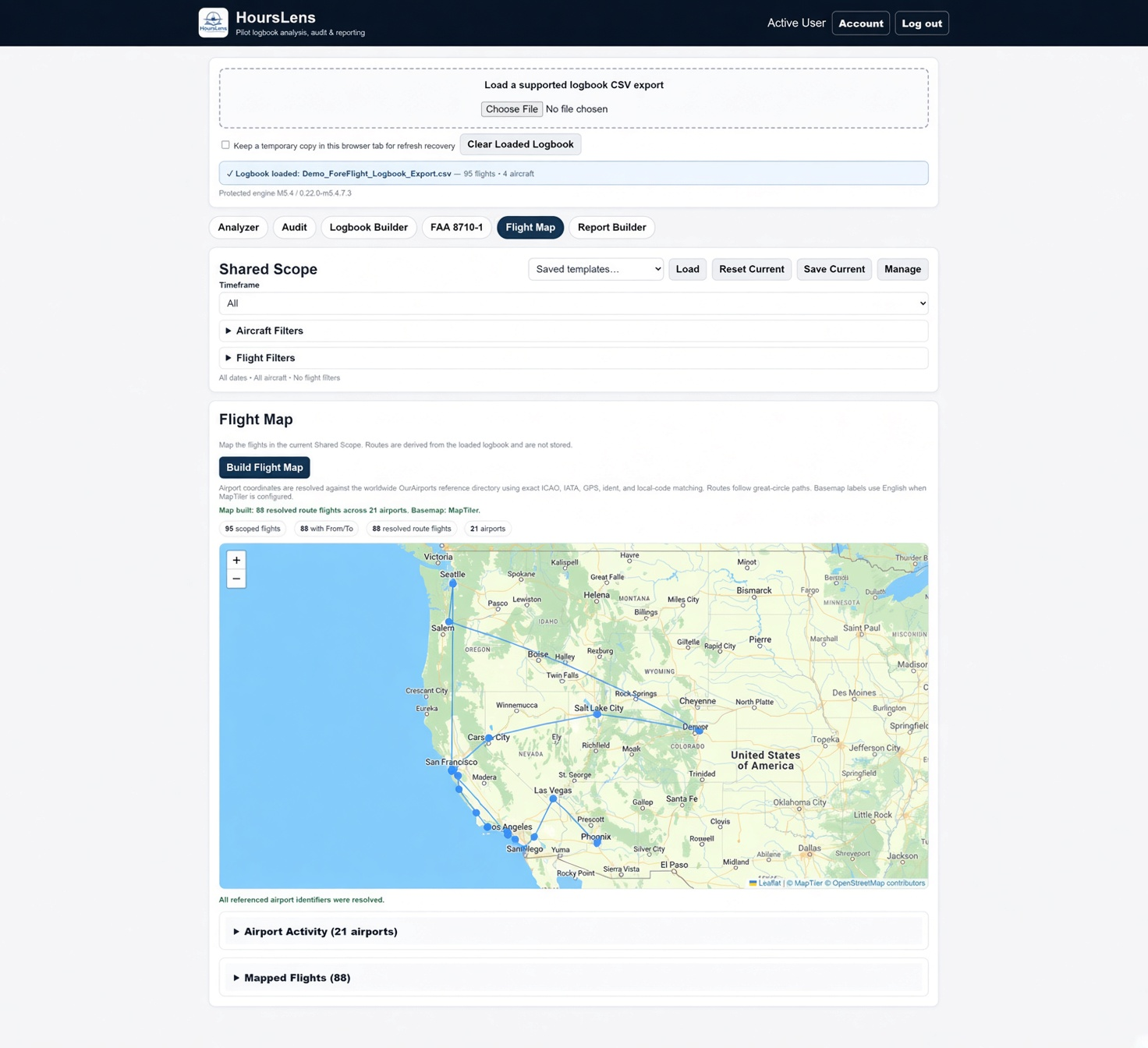
Interactive Flight Map
Turn your flight history into a route map with airport activity and the underlying mapped flights.
Click screenshot to enlarge →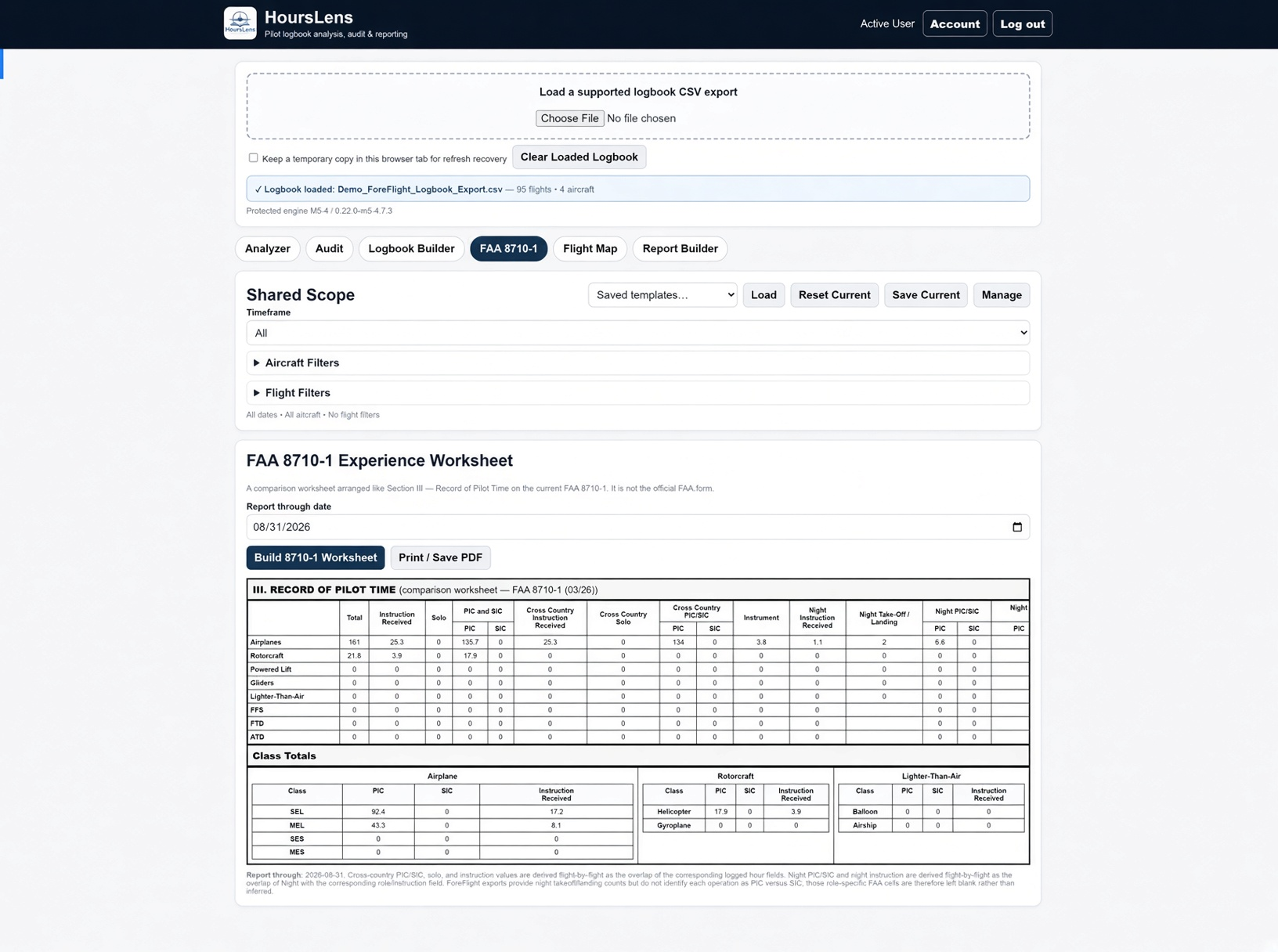
FAA 8710-1 Experience Worksheet
Organize Section III experience totals from the logbook you already maintain.
Click screenshot to enlarge →Know your logbook before they ask about it.
Before an airline, corporate, charter or other aviation interview, HoursLens can help you identify potential errors, understand your flight experience and prepare to answer questions about the time you've logged.
Your logbook may be scrutinized. Review it before the interview and know the experience behind your totals—from PIC, turbine and multi-engine time to instrument, night, cross-country, instructional and aircraft-specific experience.
HoursLens helps identify potential issues and organize your experience; pilot review remains essential.
Privacy and security came first.
Before we built HoursLens features, we decided how your logbook data should be protected. Your logbook is processed to perform the analysis you request—not collected to build a permanent repository of your flight history.
HoursLens is designed around data minimization. Uploaded logbooks are not permanently stored by default. We retain only limited account, subscription, preference and operational information needed to provide the service.
Your uploaded master logbook is used for the analysis you request.
Billing and account systems do not receive your uploaded logbook.
We aim to retain what the service needs—not your entire flying history.
Built around real pilot logbooks.
HoursLens was originally designed around ForeFlight Logbook exports and supports ForeFlight and Logbook Pro today. Its import architecture is designed to accommodate additional CSV logbook formats as HoursLens grows.
Using ForeFlight?
Learn about ForeFlight Logbook and how to export your flight data for use with HoursLens.
ForeFlight Logbook export instructions →HoursLens is an independent product and is not affiliated with or endorsed by ForeFlight.
From export to answers.
HoursLens is designed to make the path from your existing digital logbook to useful analysis straightforward.
Know your entire logbook. $19.95 a year.
Our annual price for pilots who join HoursLens during the founding launch period.
Join during the founding period and keep your founding annual price while your subscription remains active.
Try HoursLensSubscriptions are not yet offered for live purchase while HoursLens is in field testing.